
Camera M 9.1 Liquid Glass Magnifier Update
With our version 9.0 update, we immersed Camera M fully in Liquid Glass. With 9.1, we are now introducing Liquid Glass to our magnifier loupe.
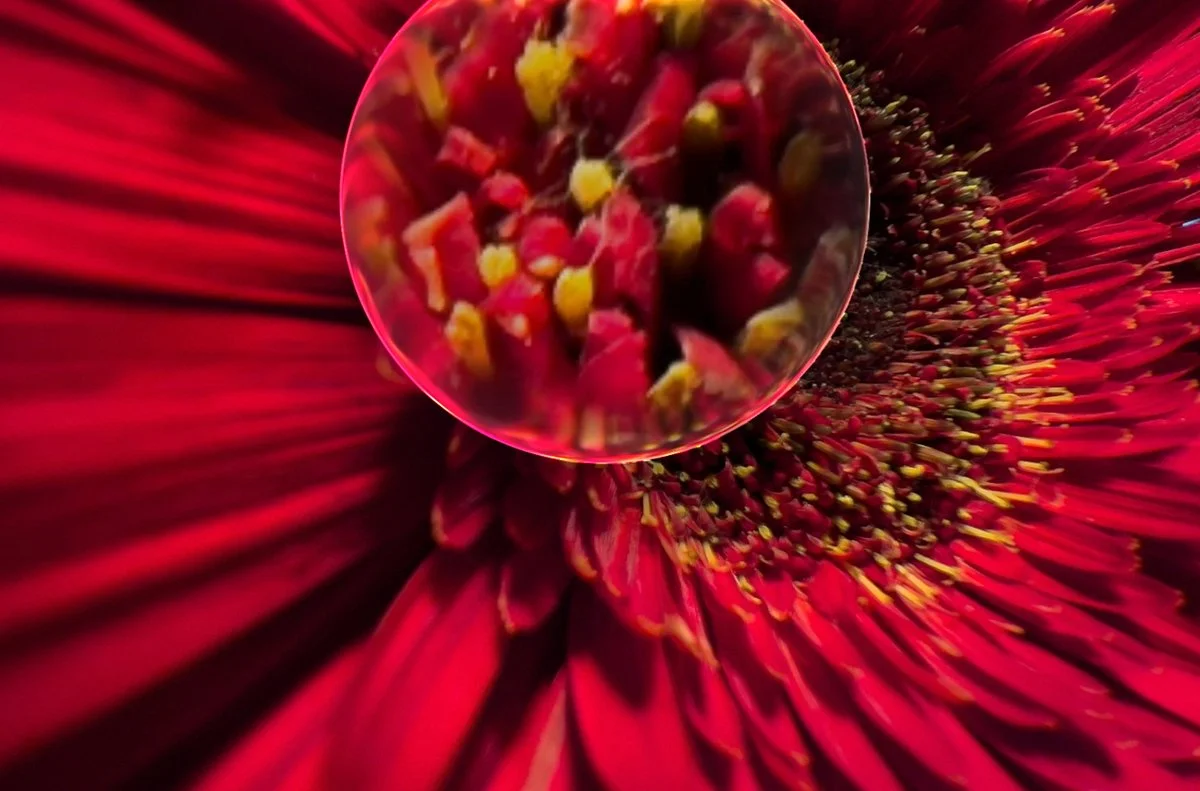
Liquid Glass Magnifier
Camera M offers a plethora of tools to assist with manual camera controls. For manual focus, the magnifier loupe has been the favorite of our users for a long time.
After Apple revealed iOS 26 with Liquid Glass, we saw the potential it has with our magnifier and how magnificent it would look with the refractions and the other effects that come with the Liquid Glass treatment. Though there was no easy way to plug-and-play the new material, we started working on it the moment iOS 26 was available with great perseverance.
We are finally happy to say, after many months, we have finally done it! We have achieved what we were after.
4x Magnification
This loupe magnifies its content 4 times the original size. We use Apple’s advanced Metal framework to bring you sharp, crisp visuals efficiently while running a focus peaking filter. It feels smooth on any device, from the latest iPhone to the earliest iPad that Camera M supports.
Focus Peaking
From the moment it presents itself, focus peaking inside the magnifier is turned on by default. This feature highlights the edges of sharply focused areas in aqua color. During manual focus adjustment, this eases up on reading what is in focus and what is not. Simply tapping inside the magnifier turns focus peaking off.
Move with Touch
By default, it presents itself from the point of focus, if selected before, or at the center of the screen if not. From that moment on, you can grab and move the loupe into any desired position of the camera preview. Even if you leave Focus Screen, it will still remember the last known position.
Realistic Physics
It sprouts onto the screen with smooth spring animation. You are able to move it to any position as you wish, and you can also flick it. It will use realistic inertia during and bounce back the edges of the screen with a delightful haptic feedback ‘thump’. You can even feel a realistic ‘weight’ during its movements. We worked long and hard on getting the right feel.
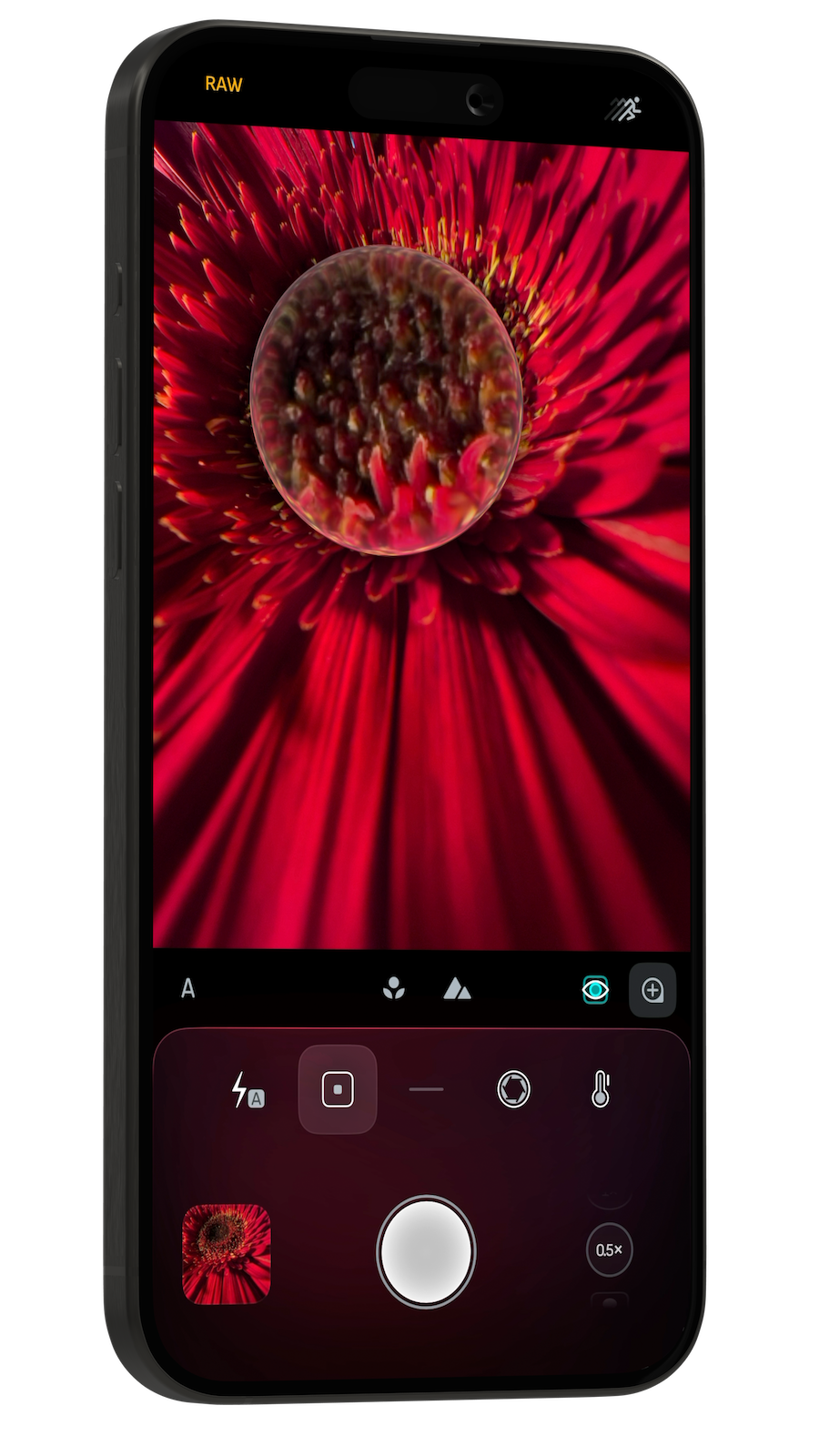
Became A Manual Focus Expert
Okay, it looks beautiful, but what does it achieve? What does it have to offer? You may ask.
The sole purpose of this tool is for you to never miss focus again - especially during manual focus, especially in macro photography.
Whether you shoot RAW or TIFF, making sure your shots are in focus is essential. An unfocused image is unrecoverable.
Open Focus Screen
Tap on the Magnifier button
Move the loupe to the desired position on the preview
Adjust focus manually
Toggle focus peaking on and off by tapping inside the loupe
Capture!
An Accessibility Tool
Camera M offers many accessibility tools as well as features - as you can see here: Camera M and Accessibility
Our magnifier loupe serves as an important tool for visual accessibility. Being able to see the content of the camera preview 4 times larger, with the addition of focus peaking on top of that — we believe this is powerful!